


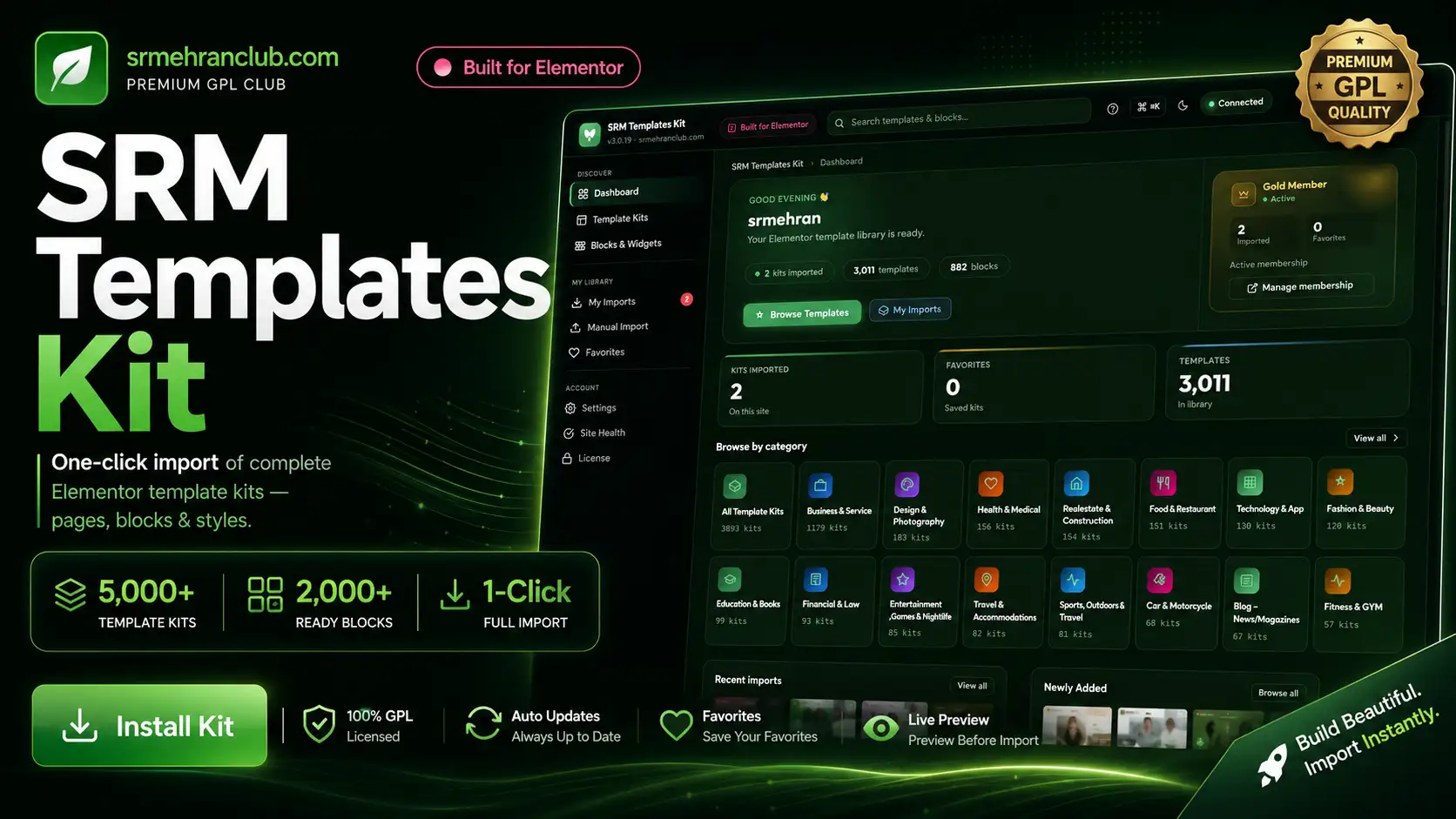
SRM Templates Kit – Elementor Import thousands templates & blocks — download
Download SRM Templates Kit – Elementor Import thousands templates & blocks free with SrmehranClub membership. Exact files as listed on the official site. No license keys or author support. GPL pre-activated.
Srmehran Templates kit:- Import hundreds of Elementor Premium templates & blocks using this plugin:-?
Welcome to?Srmehran Templates Kit?WordPress plugin! In this article, We are going to share with you, our newly developed, extremely powerful Srmehran Templates Kit tool. This tool would make the process of creating and managing your Website via Elementor Templates, easier than ever.
Srmehran Club always strives to provide our customers with top-notch WordPress tools that help them manage their WordPress websites in an effective and efficient way. This tool is another awesome addition to our awesome line of products and services that we provider for srmehran club members.
So, without further ado, let’s get started and see what the Srmehran Templates Kit is all about
What is Srmehran Templates Kit?
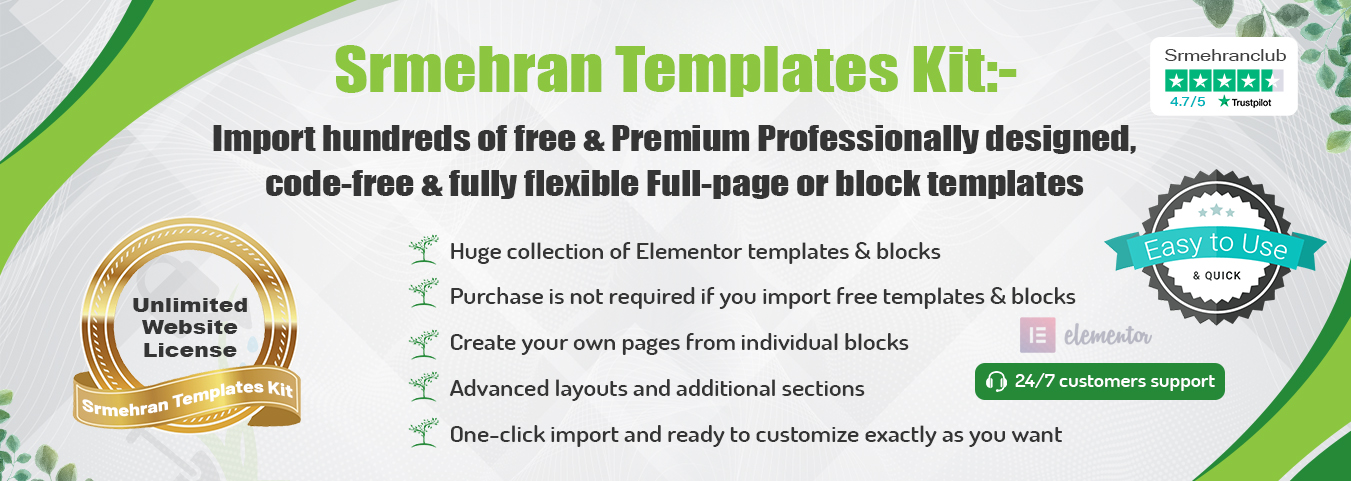
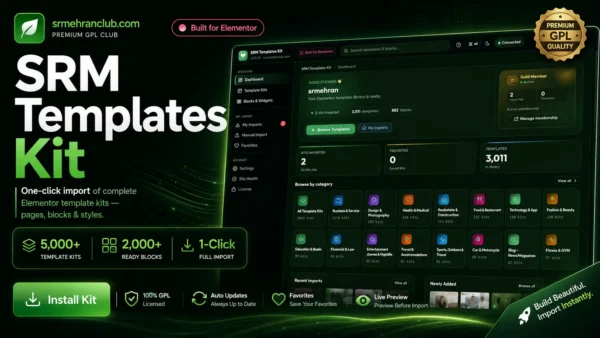
Srmehran Templates Kit would allow the users to directly import all the Elementor Templates and Blocks, straight from the plugin, instead of having to go to the Srmehran Club website and downloading from there. You would be able to get access to all the Elementor Templates and Blocks from the plugin itself, this removes the need for going on to the srmehran website and downloading and importing the templates from there.
You can create stunning websites within seconds, by getting access to hundreds of Elementor website templates through the Srmehran Templates Kit.
Srmehran Templates Kit is a unique tool that would be great for both the premium Srmehran members as well as the people who have not yet registered themselves for a Srmehran membership plan. Meaning, even if you are not a premium member, you can still take advantage of some of the free features that it has to off. Just register yourself with Srmehran, download this tool and you should be good to go.
This tool offers a huge collection of free and paid Elementor Templates Kits that both the free and paid users can download and use on their WordPress website.
Let’s dig in a little deeper and see the Interface as well as the features that this tool has to offer
Srmehran Templates Kit Plugin – Interface Overview
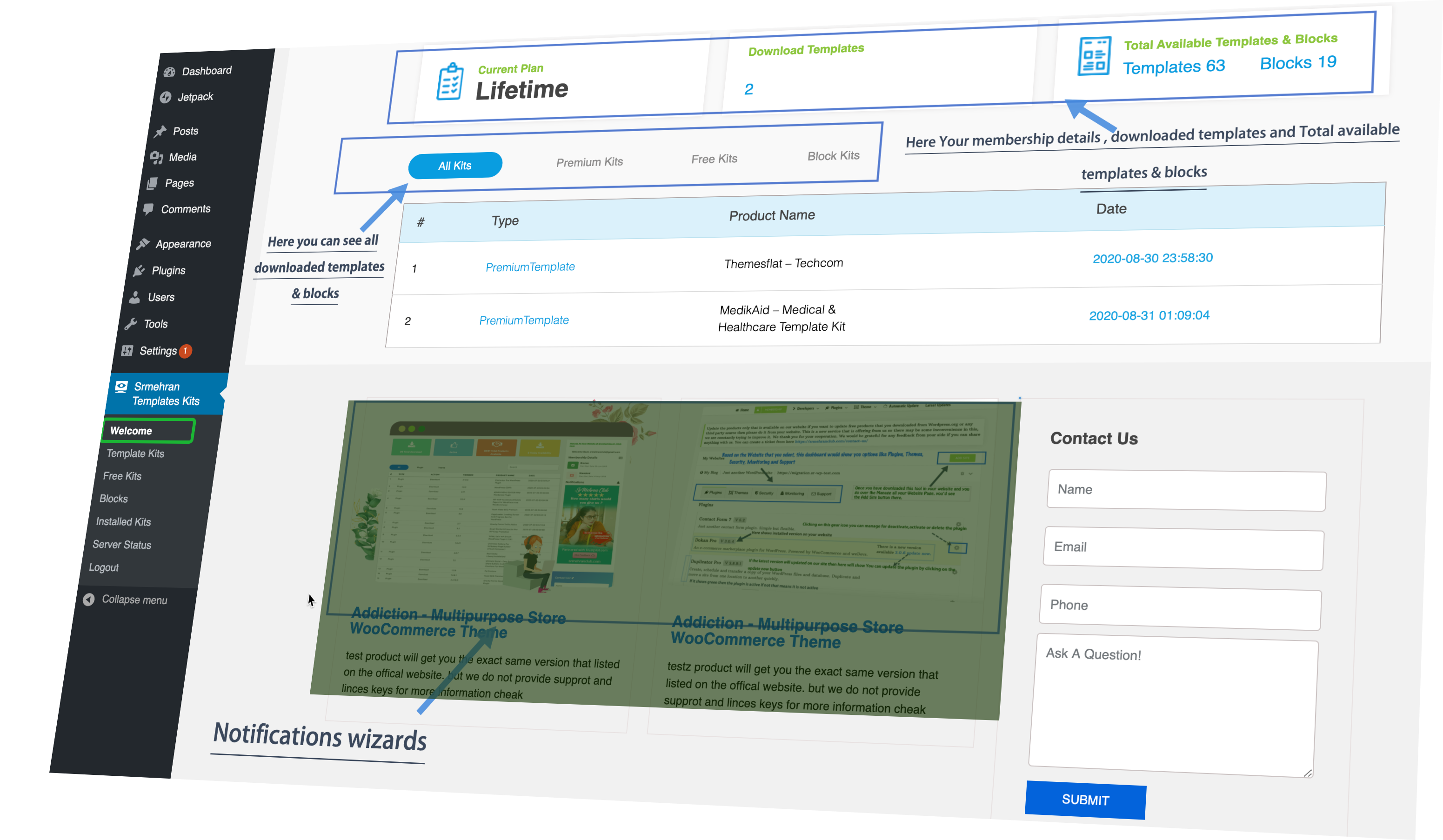
Downloading this tool is pretty simple. It is available for all premium and free Srhemehran users. Simply just download this tool and install it on your WordPress. Once you have installed this tool, here are some of the options that you would see in the WordPress Dashboard
Welcome Section:?You would be welcomed to this tool with a delightful welcome screen where you would see the idea behind this tool and why it would be great for you. This is fairly simple and is meant to give you an overview of the tool and its use.
Templates Kits:?This section would contain all the Elementor Template Kits that have been added by srmehran club for their premium users. Currently, it has over 500 Elementor Kits. More items are being added to it on a regular basis. These kits are only for premium users, standard users won’t be able to use these templates. There are a lot of free kits to and they are available in a different section.
Free Kits:?This section contains all the free Elementor Kits that all the users of srmehran would be able to use for free. It doesn’t matter if you have a premium account or not, you can use these kits to create stunning website designs in a matter of seconds.
Blocks:?This section has a huge collection of free & paid Elementor UI code blocks that all the users of srmehran can download to develop individual UI elements for their website.
Installed Kits:?This section contains the complete list of the installed Elementor Kits and Blocks that you have downloaded so far, using this tool. This section would also tell you about the items that each of the kit and the Elementor Block has.
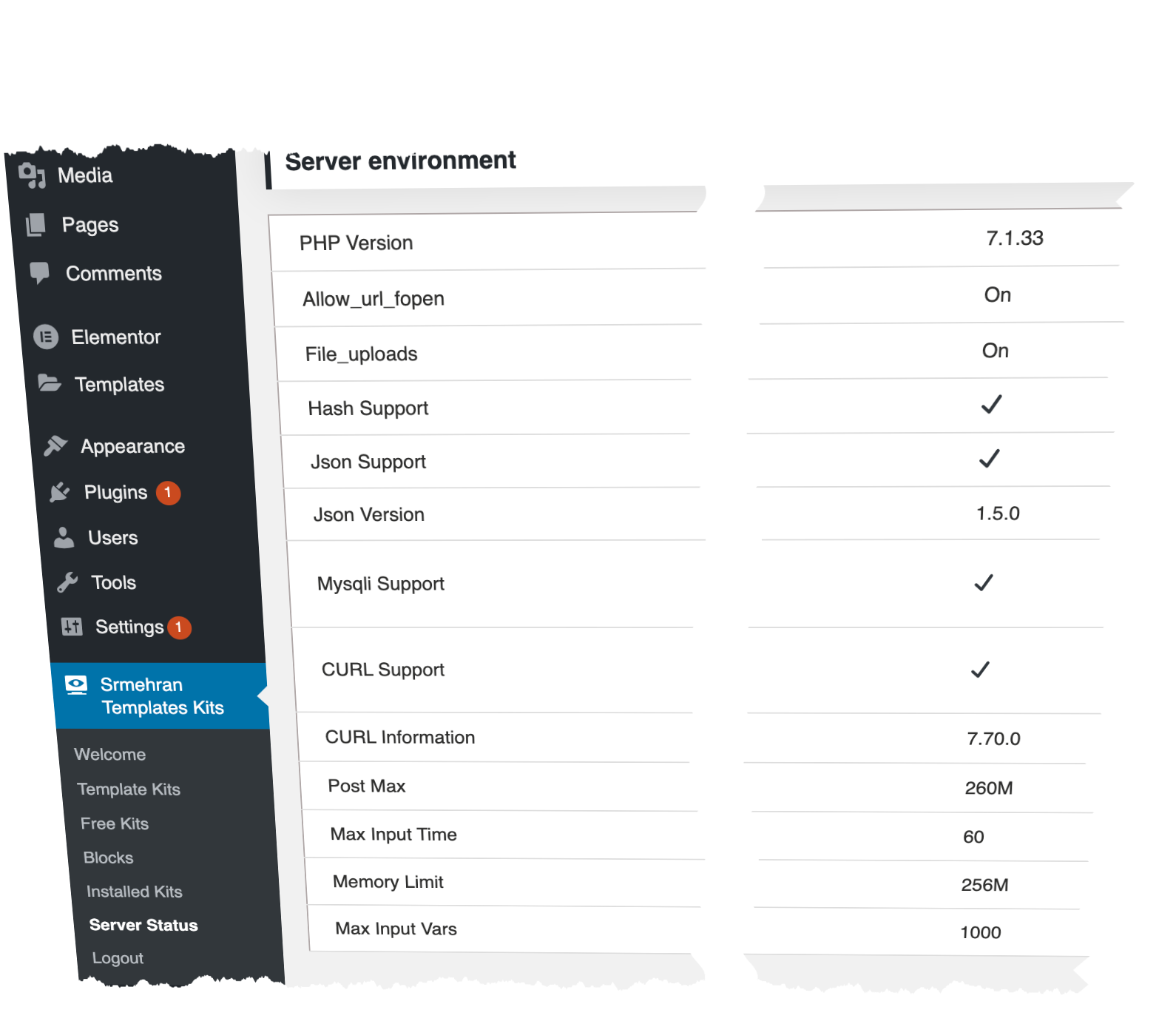
Server Status:?This section contains general information about the compatibility of this plugin tool and its performance matrices. It contains information like PHP Version, Jason Support, Post Max, Max input Vars and stuff like that. You can see the complete details on the page below.
Logout:?This button would help you log out of the Srmehran Templates Kit when you are done using it.
About Free Kits and Blocks
This tool is an amazing WordPress Plugin that would allow the premium as well as free Srmehran users to install the latest Elementor Template Kits and Plugins. You can find a huge collection of latest and even the previous versions of the Elementor Tools and Blocks that you would be able to use, whenever you want to.
How Does Srmehran Templates Kit Work?
Note:?This tool is available for Srmehran members only. If you haven’t done already, register yourself on Srmehran Club and buy the premium membership to take the best advantage of this Tool
How Does Srmehran Templates Kit Work?
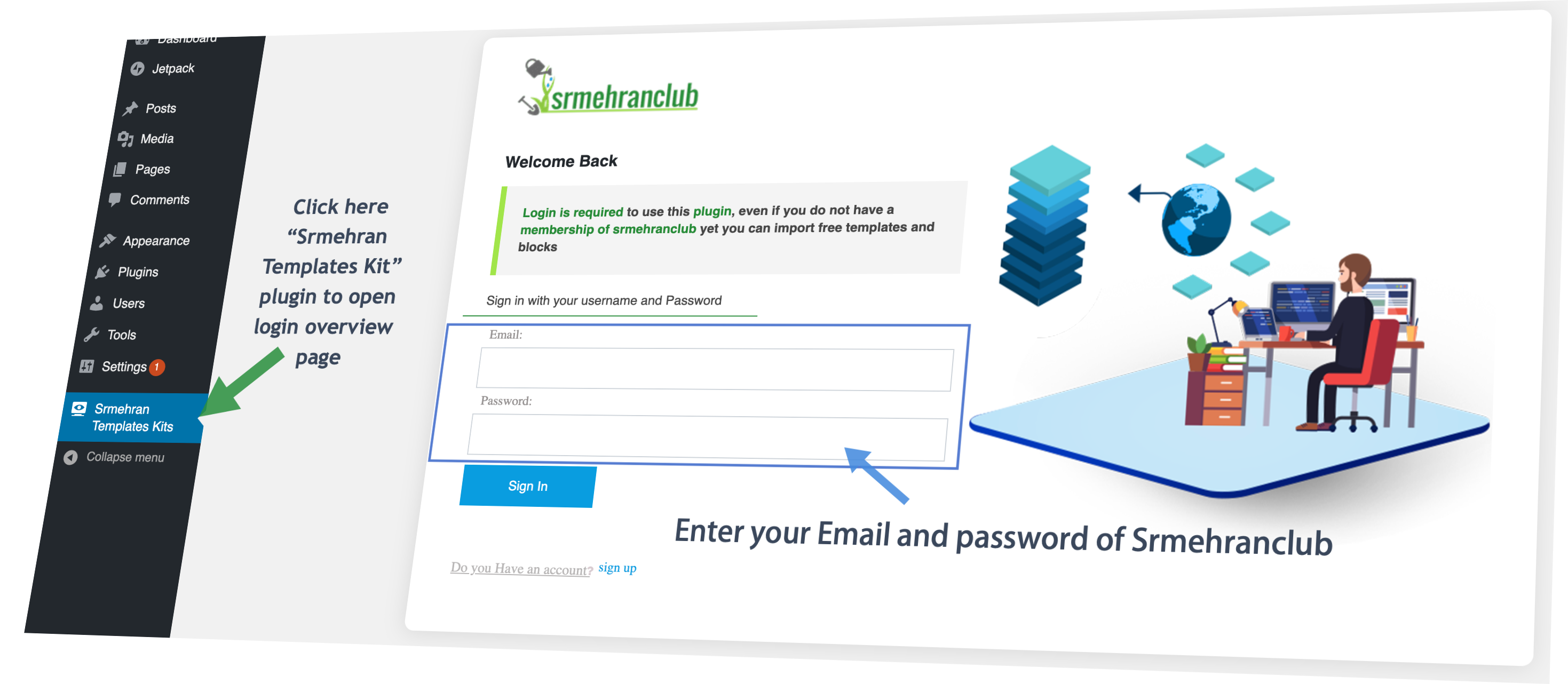
- When you first install this tool, you would be taken to the login page.
- If you are a Srmehran user, you can use your Srmehran Credentials i.e. Username and password to login to this tool. Just enter your account details and Click in Sign In
- If you have nor registered yourself for Srmehran, click on the Sign-up button and you would be redirected to Srmehran Club registration Page
- Just fill out the form and go through the standard authentication process via the OTP, to create your account.
- Once you have created your account, go back to the tool and sign in using your Srmehran Club account details.
Installing Template Kits
Installing Elementor Templates Kits is really easy with this tool. Here is what you need to do
- Go on to either the Templates Kit or the Free Kits Section
- You’d see the complete list of Elementor Template Kits there
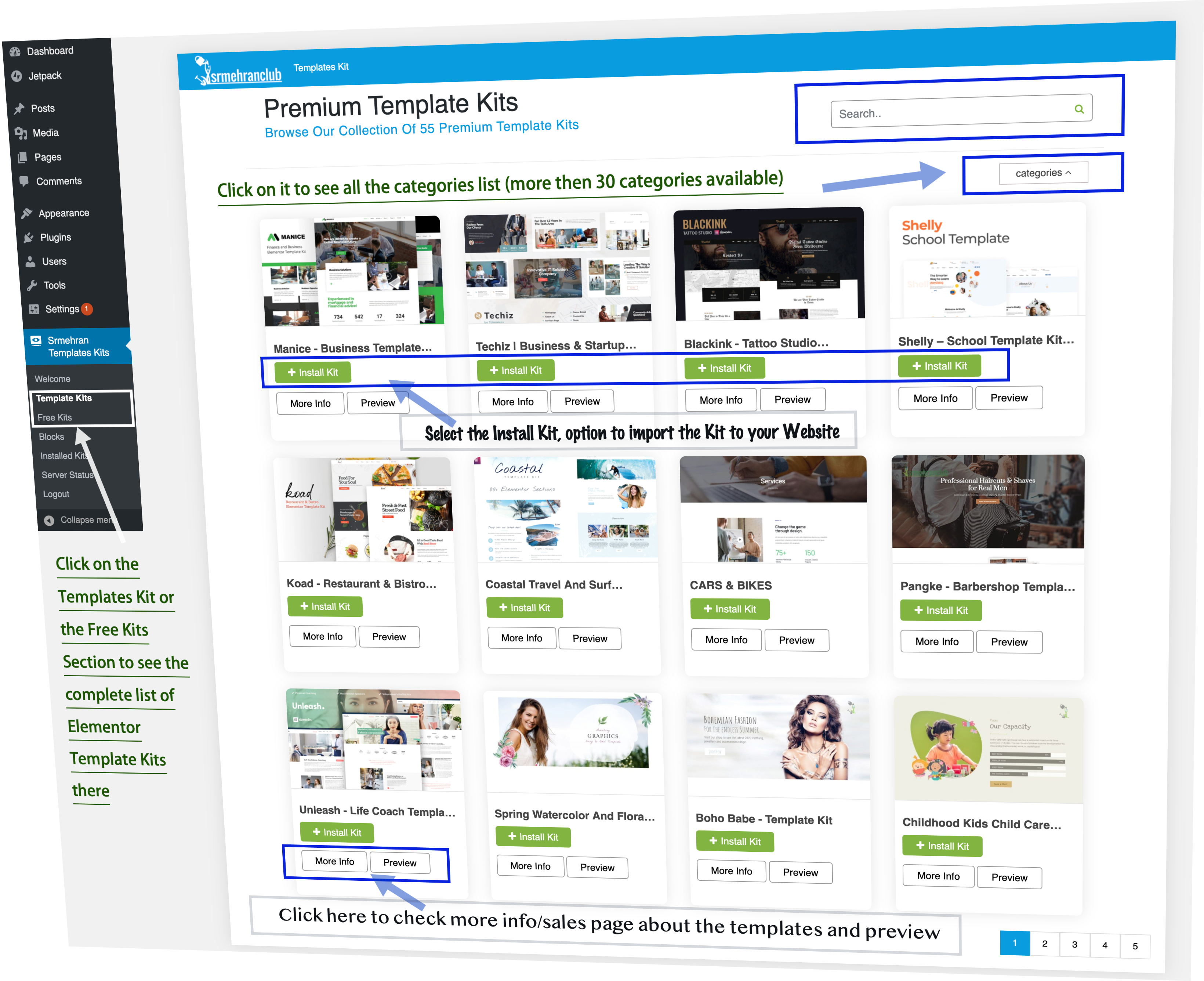
- From there, choose a Kit that you want to use for your WordPress Website
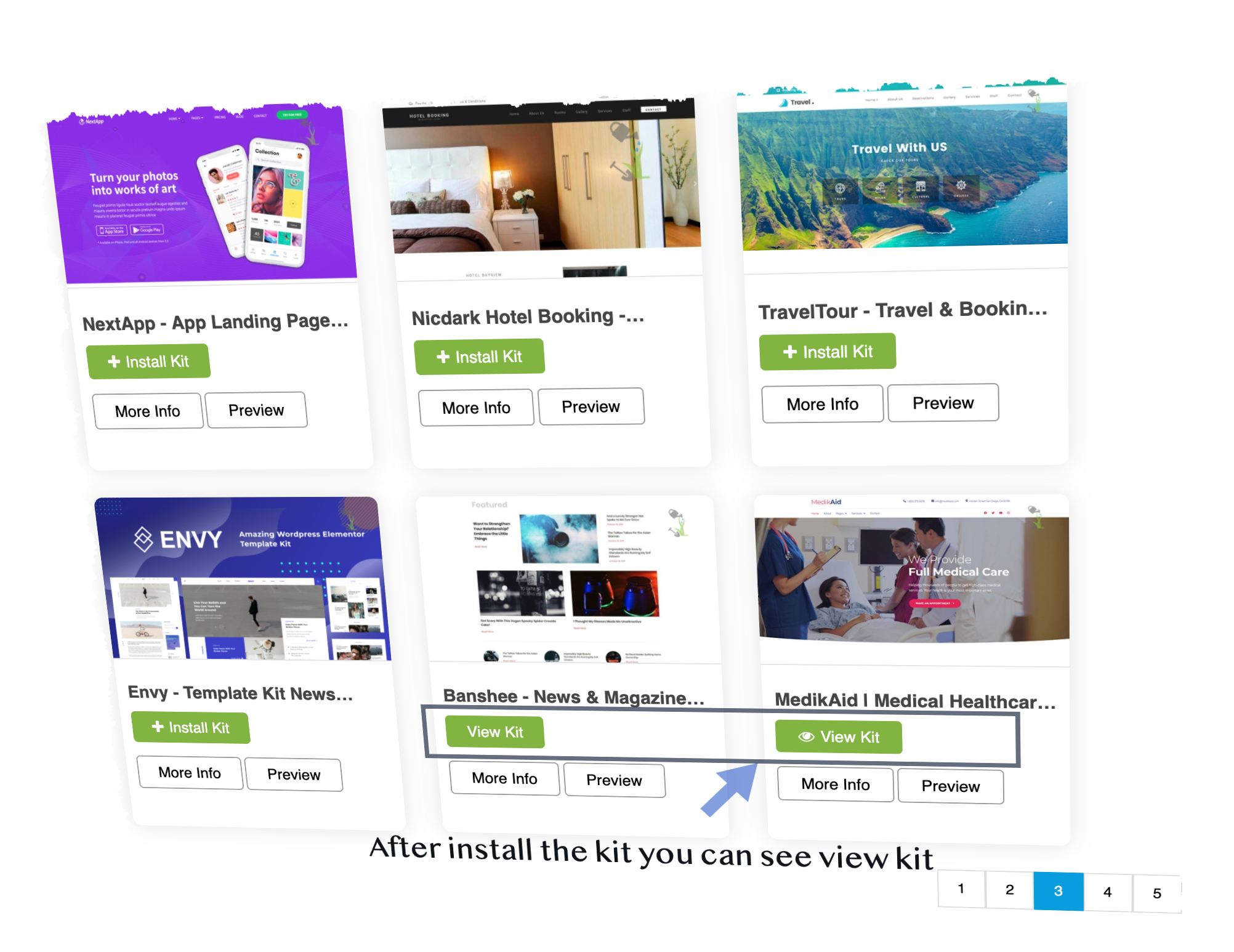
- Select the?Install Kit, option to import the Kit to your Website then you can see the option to?view kit?
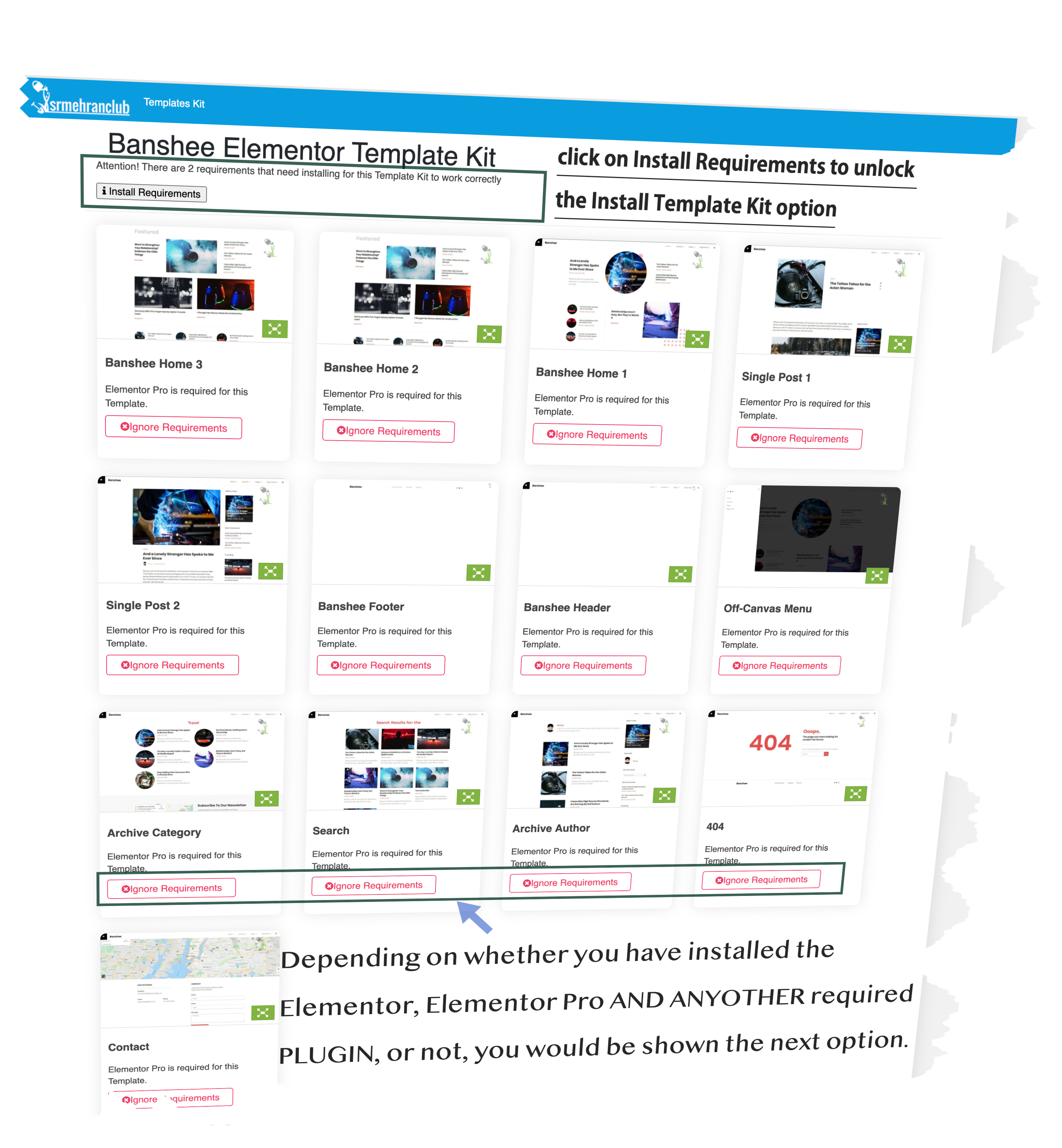
- Depending on whether you have installed the Elementor or Elementor Pro, or not, you would be shown the next option.
- If you don’t have any of the Elementor or Elementor Pro Plugins and any other requires the plugin, you would be promoted to install and activate these plugins on your WordPress.
-
-
- You can click on?Install Requirements?to unlock the?Install Template Kit?option
-
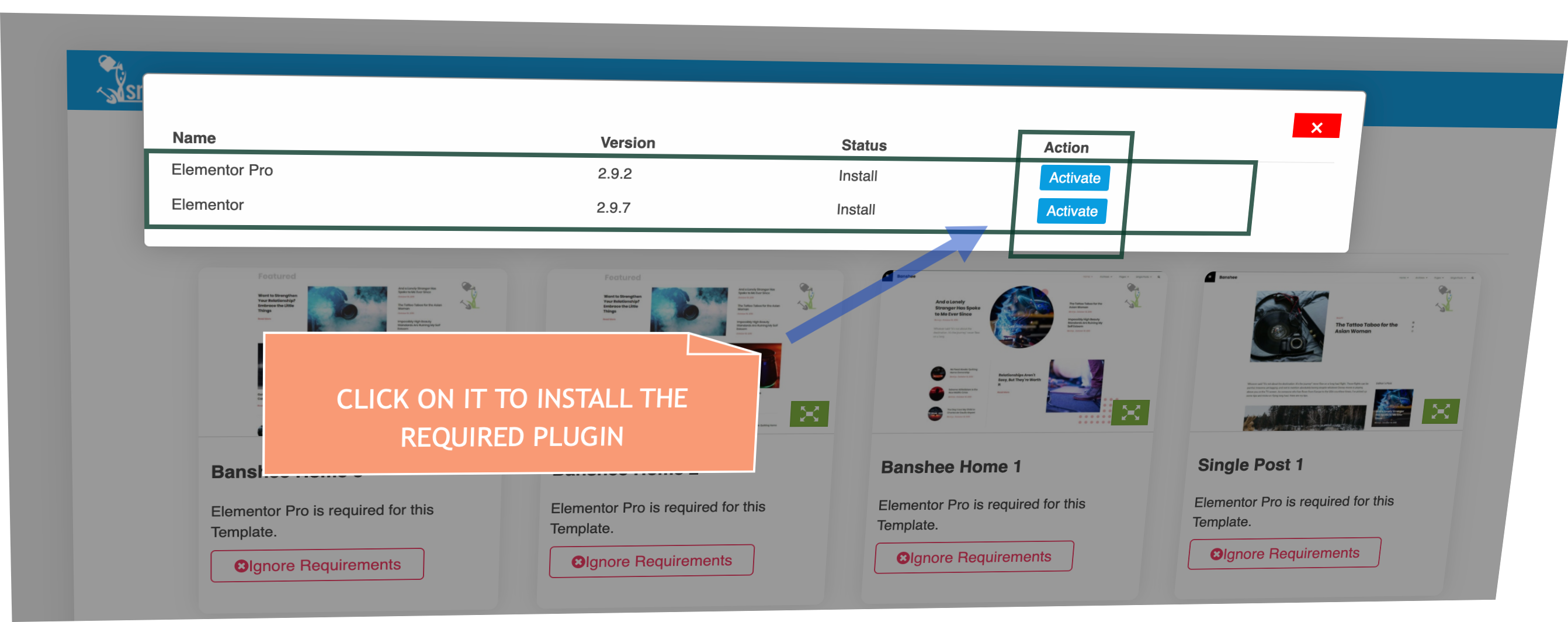
- Once you have completed all the prerequisites, the templates kit would be downloaded on your Website
- Once the template kit is installed, you would be given the option,?View Kit.?This option would show you all the items that are available in the Elementor Kit
- You can choose the?Insert Template?Option to Install the Kit on your WordPress Website.
- The rest if pretty simple. You can use a simple drag and drop to adjust the installed template, as per your requirement
- You would also be shown an Icon for the?Srmehran Templates Kit?tool on your WordPress website that you can use click on to access more templates. When you click on the icon, you would be shown a popup with all the options to templates and blocks that you can install using this tool.

- You will see here the installed kit, premium kit, free kit, and blocks in this popup/Srmehran template kit wizard, you can insert any imported template directly from here and import any new premium template kit, free templates kit, and blocks very easily in just a few clicks, we have tried to make it very easy and in the coming days we will add many more features in this plugin.
Once you click on the?view installed kit?then all the templates & blocks will be shown that is included in the particular templates, there you can see the option for insert the templates and blocks click on it to import that for example, we have imported home 1 template and below you can see the screenshot the template has been imported successfully
-
Here you can see the example the template has been imported successfully.
Installing Blocks
Installing Blocks is almost exactly the same as installing Template Kits. Here is what you need to do about it
-
- Go on to the?Blocks?Option on the Dashboard of the Tool
-

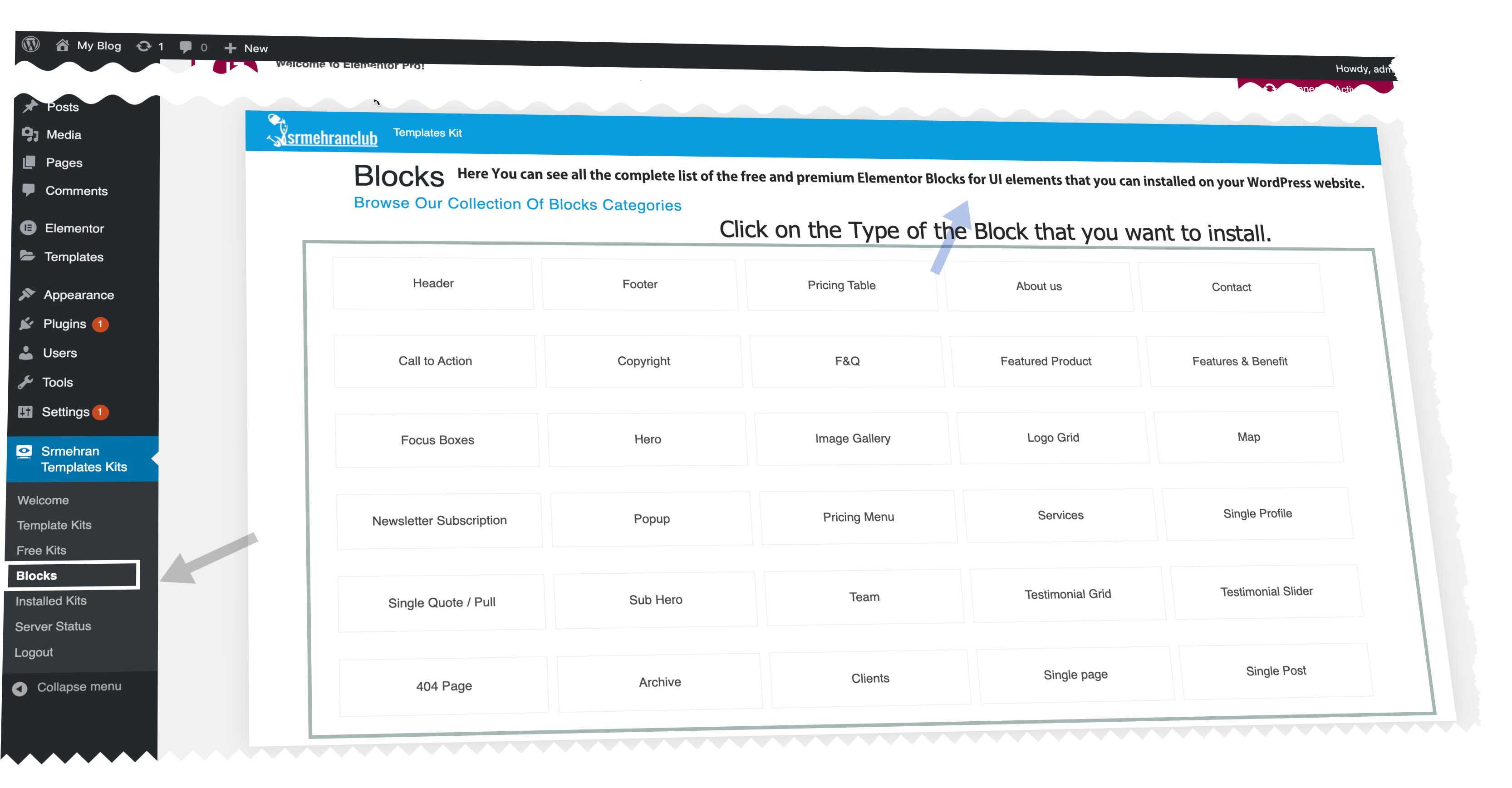
You’d be shown the complete list of the free and premium Elementor Pro Blocks for UI elements that you can installed on your WordPress website.
Click on the Type of the Block that you want to install. You’d be redirected to a page that would show a variety of blocks that you can import on your website.
Click on the?Import Template?button and the block would be installed on the website
Wrapping Up
That’s all there is to it. Srmehran Templates Kit provides Srmehran Club users with an intuitive and effective way for creating elegant Website designs in a short amount of time. Don’t forget to check out this awesome tool and if you have any questions regarding the Srmehran Templates Kit tool, feel free to reach out to us. We’d be happy to help you out.
Changelog
From readme.txt in the download
Improved
- "Tested up to" WordPress 7.0.
Fixed
- Responsive layout on narrow screens — the sidebar-collapse, compact-header and mega-menu rules never applied because they were written with lower CSS specificity than the base rules; below 860px the whole app was squeezed into a narrow sidebar-width column. All responsive rules are now correctly scoped, the header wraps on small screens, the dashboard bottom row and Settings layout stack on phones, and stat cards no longer clip their numbers.
- The small separator dot between a kit's brand and category in list view now renders (its style was missing).
- Settings → Advanced actions now actually run on the server. "Clear library cache" drops the plugin's cached kit data, "Clear import history" removes the plugin's own import records (imported Elementor templates and pages are left untouched), and "Reset All Defaults" restores every setting to its default (license and imported kits are kept).
- "Export settings" now downloads a real srm-settings.json backup, and "Import settings" reads a previously exported file and restores it (only known settings are accepted; every value is sanitized through the normal save path).
- Site Health "Export report" now downloads a real health-report.txt built from the current checks.
Show 5 earlier versions
Version 3.0.181 fixed
Fixed
- The Missing Requirements popup can no longer be hidden behind the kit dialog — the dialog underneath is now hidden while the popup is open and restored when it closes, so exactly one dialog is on screen at a time regardless of browser stacking behaviour.
Version 3.0.172 improved
Improved
- Dialogs now open over the content area instead of the whole screen — the WordPress admin bar and menu stay visible and clickable, and the dialog centres inside the working area (it follows WordPress's collapsed-menu state and goes full width on mobile).
- Dialog polish — sticky header and footer so long template grids scroll inside the dialog body, with a softer, more premium edge and shadow.
Version 3.0.161 fixed
Fixed
- THE cause of screens stuck on "Loading…" while the browser network panel showed the data arriving successfully. A JavaScript error (an internal re-render function was not reachable from the code that loads data) aborted the update the instant a response came back, so the dashboard, categories, "Newly Added", favorites and My Imports could all keep spinning on data that had already downloaded. The same error is why a deleted kit stayed in the list and why lists only appeared after a second page load.
Version 3.0.151 improved1 fixed
Improved
- Deleting several kits in a row no longer blocks — the one-at-a-time guard is now per kit, and each card still disappears the moment you confirm.
Fixed
- A broken CSS rule introduced in 3.0.14 left invalid syntax in the stylesheet, which made the browser discard the rules after it — this is why the Missing Requirements popup still opened behind the kit browser. The stylesheet is repaired and the popup is now also pinned above every dialog from JavaScript, so no styling issue can hide it again.
Version 3.0.141 improved3 fixed
Improved
- Deleting a kit removes the card the instant you confirm — the request completes in the background, and only if the server disagrees does the card return.
Fixed
- Kit lists are now cached server-side (15 min, per filter/page) with a 3-day fallback copy — browsing was hitting the remote library live on every page open, which is why the dashboard and Template Kits could hang on "Loading…" (warm loads now answer in milliseconds; if the library is slow or unreachable, the last good page is served instead of an error).
- The Missing Requirements popup now opens ABOVE the kit browser dialog and centers on screen (it was layered behind it).
- Loading spinners are now actually visible everywhere — the spinner style only existed inside buttons, so the dashboard's loading states showed bare fading text.
Showing the latest 6 of 20 versions.










Reviews
There are no reviews yet.