CrocoBuilder — download
Download CrocoBuilder free with SrmehranClub membership. Exact files as listed on the official site. No license keys or author support. GPL pre-activated.
CrocoBuilder 1.0.0-beta.22 Free Download GPL License – AI WordPress Website Builder
CrocoBuilder 1.0.0-beta.22
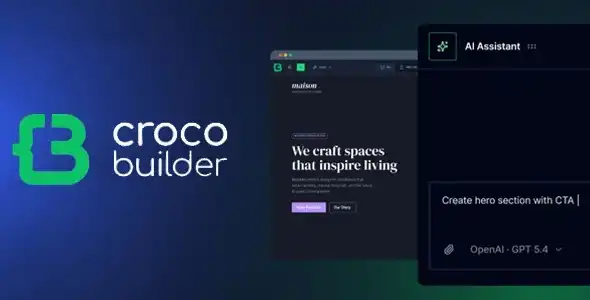
CrocoBuilder 1.0.0-beta.22 is an AI-native WordPress website builder from Crocoblock designed for developers, agencies, designers, and WordPress professionals who want greater control over frontend development. It combines visual website building with AI-assisted workflows, atomic DOM output, unified CSS controls, reusable components, and developer-focused tools.
Unlike traditional page builders that can generate layers of unnecessary wrapper elements, CrocoBuilder focuses on cleaner output and a more controlled development workflow. Its beta release introduces a new approach to building dynamic WordPress frontends with AI while keeping the underlying code accessible and manageable.
Why Choose CrocoBuilder?
Modern WordPress development often involves balancing visual design, dynamic content, clean code, and AI-assisted development. Why use several disconnected tools when one builder can bring many of these workflows together?
CrocoBuilder provides:
- AI-native WordPress website building
- Atomic DOM output
- AI-assisted component creation
- HTML, CSS, and JavaScript component support
- Unified CSS controls
- Visual-to-code CSS synchronization
- Theme Builder
- Dynamic content capabilities
- Loop and query building
- Visibility conditions
- Interactive elements
- Web Components
- GitHub versioning
- MCP support for AI workflows
- Custom responsive breakpoints
Key Features of CrocoBuilder 1.0.0-beta.22
AI-Native Website Builder
CrocoBuilder is designed around AI-assisted frontend development rather than simply adding AI to an existing page-builder workflow. It can help generate pages, components, and website structures while allowing developers to retain control over the resulting code and design system.
Atomic DOM Output
One of CrocoBuilder’s major features is its atomic DOM approach. The builder aims to keep one builder element represented by one DOM node, avoiding unnecessary wrapper elements and reducing markup complexity.
This can make the generated frontend easier to inspect, maintain, and optimize.
AI Components Builder
The AI Components Builder allows users to create reusable components using HTML, CSS, and JavaScript. Components can include editable properties, custom logic, and reusable structures that help standardize designs across a project.
Unified CSS Controls
CrocoBuilder combines visual CSS controls with underlying stylesheet editing. Changes made through the visual interface and changes made in code can remain synchronized instead of creating separate styling layers.
Theme Builder
The Theme Builder provides visual control over important WordPress templates, including headers, footers, posts, archives, and product-related templates as supported by the current product roadmap and feature set.
Dynamic Website Building
CrocoBuilder is intended for more than simple static landing pages. Its dynamic engine includes tools for loops, queries, dynamic content, interactions, and conditional visibility, making it useful for more complex WordPress projects.
Visibility Conditions
Elements can be displayed or hidden according to conditions such as user roles, devices, or data conditions, allowing developers to create more personalized interfaces without relying entirely on custom PHP.
AI and MCP Workflows
CrocoBuilder includes native MCP support designed to connect AI development workflows with WordPress. The beta launch specifically highlights connections with AI tools such as Claude and Cursor.
GitHub Versioning
Developer-oriented workflows include GitHub versioning, helping teams manage and track frontend development changes using a familiar version-control environment.
CrocoBuilder for WordPress Developers
CrocoBuilder is particularly interesting for developers who want visual development without giving up control over the frontend code.
Developers can work with:
- HTML
- CSS
- JavaScript
- CSS classes
- CSS variables
- Web Components
- Dynamic content
- Conditional logic
- AI-generated components
- Version-controlled workflows
This makes CrocoBuilder more focused on developer-grade website production than a basic drag-and-drop page builder.
CrocoBuilder for Agencies
Agencies can use reusable components and standardized styling systems to make project delivery more consistent.
For example, an agency can create reusable:
- Pricing cards
- Service blocks
- Testimonial components
- Product sections
- Navigation elements
- Call-to-action sections
- Custom website components
The AI Components Builder is specifically designed to help create and reuse such components across WordPress projects.
CrocoBuilder and Dynamic Websites
CrocoBuilder is aimed at projects where content changes dynamically. Its architecture includes tools for loops, queries, conditions, interactions, and dynamic frontend systems.
This can make it useful for:
- Business websites
- Dynamic content websites
- Membership platforms
- Directory websites
- Data-driven websites
- Agency projects
- Custom WordPress applications
- Advanced landing pages
- Product websites
Beta Version Notice
CrocoBuilder 1.0.0-beta.22 is a beta release. Crocoblock has described the public beta as a stage where users may encounter bugs, unexpected behavior, or compatibility issues while the product continues to be improved.
Therefore, users should consider testing the beta version on a staging website before deploying it on an important production website.
Benefits of Downloading CrocoBuilder
For a Srmehranclub listing, the product page can highlight:
- Free download access for members
- GPL License
- Access to the listed beta version
- AI-assisted website building
- Atomic DOM architecture
- AI component creation
- Advanced CSS controls
- Dynamic website tools
- Developer-focused workflow
- Not nulled or cracked version
Important: CrocoBuilder is a commercial product from Crocoblock, and the official distribution uses Crocoblock licensing and account access. A third-party GPL listing should not be presented as an official Crocoblock distribution.
Who Can Use CrocoBuilder?
CrocoBuilder is ideal for:
- WordPress developers
- Web design agencies
- Freelance developers
- UI/UX designers
- WordPress professionals
- AI-assisted developers
- Digital agencies
- Product teams
- Custom website developers
- Advanced WordPress users
Why Choose CrocoBuilder for AI Website Development?
AI-assisted website development is changing quickly. CrocoBuilder approaches this trend by combining AI generation with a structured frontend architecture.
Instead of simply generating a page and leaving developers with complicated markup, CrocoBuilder focuses on cleaner DOM output, reusable components, real CSS, and developer control.
This makes it an interesting option for developers who want to use AI without sacrificing maintainability.
Conclusion
CrocoBuilder 1.0.0-beta.22 represents a new approach to WordPress website building by combining AI-assisted development with visual controls and developer-focused frontend architecture. Atomic DOM output, unified CSS management, AI components, dynamic functionality, MCP connectivity, and version-control workflows make it particularly appealing to developers and agencies building sophisticated WordPress websites.
Because this is a beta release, testing and compatibility verification are important before using it on mission-critical production websites. For developers interested in combining AI with cleaner, more controllable WordPress frontend development, CrocoBuilder is certainly a product worth exploring.
Frequently Asked Questions
1. What is CrocoBuilder?
CrocoBuilder is an AI-native WordPress frontend and website builder from Crocoblock designed for developers, agencies, and WordPress professionals.
2. What is CrocoBuilder 1.0.0-beta.22?
It is a beta release of CrocoBuilder. The product is still in active development, so users may encounter bugs or compatibility issues during the beta stage.
3. Does CrocoBuilder use AI?
Yes. CrocoBuilder includes AI-assisted workflows and an AI Components Builder capable of generating HTML, CSS, and JavaScript-based components.
4. What makes CrocoBuilder different from traditional page builders?
CrocoBuilder focuses on atomic DOM output, unified CSS controls, AI-native components, and developer-oriented workflows rather than relying heavily on nested wrapper elements.
5. Is CrocoBuilder suitable for professional WordPress websites?
Yes. It is specifically positioned for WordPress developers, agencies, and teams building complex and dynamic frontend systems. However, because beta versions can contain bugs or compatibility issues, staging and testing are recommended before production deployment.
Changelog
From README.md in the download
Version 1.0.1Latest1 new3 fixed
New
- More semantic HTML tags for the Block, Heading and Text elements;
Fixed
- Correct data-url sanitizing on styles save;
- Theme Builder. Reduce SQL queries number used for template rendering;
- Theme Builder. Archive template conditions for some cases.
Show 5 earlier versions
Version 1.0.01 fixed4 other
Fixed
- Interactions. Compatibility with theme builder templates.
Other
- UPD: Refine CSS variables list UI;
- UPD: Refine states management popup UI;
- UPD: Refine breakpoints management popup UI;
- UPD: Refine styles controls list;
Version 1.0.0-rc.12 new2 improved4 fixed2 other
New
- Component Builder.
Is Styling Property option for component controls;
- General Settings. Option to disable some system data-attributes and classes in final render;
Improved
- UPD: MCP. Improve batch design system processing and interactive elements recognition;
- UPD: Query Loop. Refactor UI of columns/gaps controls;
Fixed
- Theme Builder. Create template as
published;
- Component Builder. Some UI/UX issues;
- Main Editor. Media popup styles;
- JetSmartFilters. Ensure compatibility with the different query loop cases.
Other
- UPD: Make strings translation-ready;
- UPD: Classes Manager. Minor UI/UX refinements;
Version 1.0.0-beta.262 new5 fixed1 other
New
- Dashboard. Option to control SVG uploads availability;
- Editor. Zoom control for the preview canvas;
Fixed
- Elements Tree. Ensure elements renaming feature properly works for all elements types;
- Custom Attributes. Minor UI/UX fixes;
- Conditional Visibility. Minor UI/UX fixes;
- Style panel. Background control UI/UX issues;
- Editor RTL styling issues.
Other
- UPD: CSS Variables UI. Appropriate controls types for the different variables types;
Version 1.0.0-beta.251 new2 improved4 fixed1 other
New
- LLMs section. Instructions for the code mode content generation;
Improved
- UPD: Main Editor & Component Builder. Accessibility improvements;
- UPD: AI assistant. Improved response accuracy and context handling;
Fixed
- UPD: Main Editor. UI warning for cases, when current viewport is smaller than the minimum current breakpoint size;
- Theme Builder. Problem with the preview of the templates created by the MCP server;
- Prevent
<br> tags automatically inserted in the rendered content in some cases;
- MCP server.
cb_preview_inspect tool issue.
Other
- UPD: Main Editor. Canvas zoom control;
Version 1.0.0-beta.241 new2 fixed3 other
New
- UPD: Nav Menu Element. New options for the accessibility labels and mobile icon;
Fixed
- Nav Menu Element. Ensure native WP menu attributes are correctly applied;
- Clean up some unnecessary code.
Other
- UPD: Collection Element. Allow to set Columns, Slides per View, Gap and some other options per breakpoint;
- UPD: Image Element. Seperate option for
alt attribute;
- UPD: Style Panel. Show values from previous breakpoints after breakpoint change;
Showing the latest 6 of 13 versions.




 Overview












Reviews
There are no reviews yet.