PowerPack Elements WordPress Plugin with original license key Activation for lifetime
PowerPack Elements is a robust WordPress plugin that serves as a treasure trove of advanced widgets, templates, and features. It extends the capabilities of popular page builders like Elementor, Beaver Builder, and Gutenberg, allowing users to craft breathtaking websites without the need for extensive coding skills.
PowerPack Elements WordPress Plugin with original license key Activation for lifetime — download
PowerPack Elements WordPress Plugin with original license key Activation for lifetime
In the ever-evolving realm of website design and development, WordPress has emerged as a powerhouse platform, empowering millions to create stunning websites with ease. Among the tools that elevate this experience is the PowerPack Elements WordPress Plugin, a dynamic solution that unlocks a realm of creative possibilities. This article delves into the wonders of PowerPack Elements and the value of activating it with an original lifetime license key.
The PowerPack Elements Advantage
PowerPack Elements is a robust WordPress plugin that serves as a treasure trove of advanced widgets, templates, and features. It extends the capabilities of popular page builders like Elementor, Beaver Builder, and Gutenberg, allowing users to craft breathtaking websites without the need for extensive coding skills.
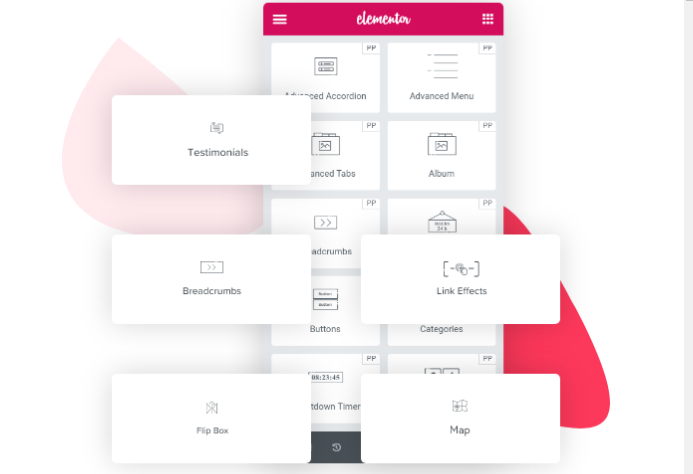
What truly sets PowerPack Elements apart is its diverse collection of over 70 widgets. From sophisticated image galleries and eye-catching testimonials to interactive pricing tables and engaging countdown timers, these widgets empower users to craft a website that reflects their unique brand identity. The plugin’s real-time customization options ensure that each element aligns seamlessly with the overall design, delivering an impeccable user experience.
Unlocking Lifetime Activation
A pivotal factor that distinguishes an ordinary experience from an extraordinary one is the activation of PowerPack Elements with an original lifetime license key. While many opt for annual subscriptions, a lifetime license provides unlimited access to updates, features, and support, all under a one-time payment. This grants users the peace of mind that their website’s creative arsenal remains up-to-date and relevant without recurring expenses.
The Benefits of Lifetime Activation
Cost Efficiency: Investing in a lifetime license is a cost-effective solution for long-term website management. By eliminating annual subscription fees, users can allocate resources towards other essential aspects of their online presence.
Uninterrupted Access: A lifetime license ensures uninterrupted access to the plugin’s updates and features. Users can explore new widgets and templates as they are released, keeping their website fresh and engaging.
Support and Community: Lifetime license holders become part of an exclusive community with direct access to customer support. This ensures swift resolution of issues, enabling users to maintain a seamless website experience.
Long-Term Strategy: For businesses and individuals committed to their online presence, a lifetime license is a strategic choice. It provides the stability needed to evolve and adapt over time, aligning with changing trends and user preferences.
Conclusion
In a digital landscape where creativity is the key to capturing attention, PowerPack Elements WordPress Plugin stands as a game-changer. Its arsenal of widgets and customization options empowers users to create visually stunning websites that resonate with their audience. By activating the plugin with an original lifetime license key, users secure a lifetime of innovative features, updates, and support – a valuable investment that ensures their website remains at the forefront of design excellence for years to come. Embrace the power of PowerPack Elements and unlock a lifetime of WordPress magic today.
Changelog
From changelog.txt in the download
Version 2.7.10Latest14 improved2 fixed1 other
Improved
Team Member, Team Member Carousel – Added button style option for social links
Flip Box – Added dynamic tags support for title, description and icon image options
Team Member Carousel – Add links for Flickr, Tumblr, Github and Vimeo
Instagram Feed – Added option again to the widget for adding custom access token
Video Gallery – Added option to show video content over or below video
Info List – Added content padding option
Info List – Added content separator option
Info List – Added Text Shadow and Spacing options for title
+6 more
Info List – Added spacing option for button
Icon List – Added icon size option for individual icons
Categories – Added check to arrows and dots to hide when there are no categories to show
Link Effects – Added HTML tag option
Display Conditions – Added support for adding multiple parameters
Moved PowerPack extensions settings tab below Advanced section for easy accessibility
Fixed
Popup Box – Close button style options were not working
Dual Heading – Fixed minor CSS glitch
Other
Release date: March 3, 2022
Show 5 earlier versionsVersion 2.7.93 new5 improved8 fixed2 other
New
Advanced Posts – Option to hide empty comments
Gravity Forms – Option to add spacing between labels and custom radio & checkboxes
Core – Plugin Short Name option in PowerPack White Label settings
Improved
Add doc links to Twitter widgets
TOC – Updated breakpoint for desktop
Random Image – Now different link can be added to each image
Posts, Tabbed Gallery – Replaced slick slider with swiper slider
Removed deprecated _register_controls function from all the widgets
Fixed
Info List – Button was not showing on published page
Display Conditions – Search suggestion for Pods was not working
Image Gallery, Image Slider, Album, Devices, Random Image, Showcase, Tabbed Gallery – Caption was not getting translated using WPML
Link Effects – Spelling mistake in effect setting
Tabbed Gallery – Caption over image option was not working
Timeline – Responsive direction option was not working with Additional Custom Breakpoints option enabled
Woo Add to Cart – Quantity field styling options
Gravity Forms – Updated labels and field description selectors
Other
Release date: February 8, 2022
Set the minimum Elementor version required to 3.1.0
Version 2.7.81 improved1 fixed1 other
Improved
Twitter Grid, Twitter Timeline – Converted Tweet Limit text fields to number fields
Advanced Menu, Content Reveal, Devices, Showcase, Team Member Carousel, Tabbed Gallery, Testimonials, Woo Products – Added support for Inline font icons
Album – Added conditional check to fancybox script and style for improved page loading speed
Content Reveal – Added logic to scroll page to top when Read Less button is clicked
Fixed
Advanced Menu – Submenu icons were not working for vertical menu
Countdown – PHP error when labels are turned off
Instagram Feed – Issue with token expiry
Breadcrumbs – SVG icons were not showing
Core – PowerPack widgets category conflict with other plugins
Card Slider – Dynamic content option was not working for button
Card Slider – Height issue when more content is added
Image Slider – Arrow align option was not working
+2 more
Tiled Posts, Magazine Slider – Layout was breaking with less number of posts
Woo Offcanvas Cart – Vertical scroll was not working when message field was empty
Other
Release date: January 20, 2022
Version 2.7.62 improved3 fixed1 other
Improved
Advanced Menu – Added icons control for submenu indicator




 Overview







Reviews
There are no reviews yet.