Premium Addons PRO for Elementor Page Builder WordPress Plugin with original license key Activation for lifetime — download
Premium Addons PRO for Elementor Page Builder WordPress Plugin with original license key Activation for lifetime
In the dynamic world of web design, WordPress remains a top choice, owing to its flexibility and user-friendly interface. Elementor, a popular page builder plugin, has revolutionized the way websites are created. Taking the Elementor experience to the next level is the Premium Addons PRO, an innovative plugin designed to enhance your design capabilities. In this article, we’ll delve into the features and benefits of Premium Addons PRO for Elementor, providing you with insights into how it can elevate your WordPress design game.
Enhanced Widgets Library
One of the standout features of Premium Addons PRO is its extensive widgets library that seamlessly integrates with Elementor. With over 50 widgets at your disposal, you can effortlessly add advanced functionalities to your website. Whether you’re aiming to create stunning image galleries, captivating testimonials, interactive countdowns, or engaging flip boxes, the widgets library caters to a diverse range of design needs.
Pre-designed Templates
Time is of the essence when it comes to web design. Premium Addons PRO recognizes this and offers a treasure trove of pre-designed templates to expedite your design process. From landing pages to e-commerce layouts, these templates provide a solid foundation that you can customize to suit your brand and vision. This feature not only saves time but also ensures a professional and polished look for your website.
Cross-Domain Copy-Paste
Collaboration and consistency are crucial in web design, especially for those managing multiple projects or websites. Premium Addons PRO simplifies this with its cross-domain copy-paste functionality. You can seamlessly copy elements, widgets, or entire sections from one website to another, streamlining the design process and maintaining uniformity across your online presence.
White Labeling for Agency Branding
For web design agencies or freelancers, maintaining a consistent brand image is essential. Premium Addons PRO offers white-labeling features that allow you to customize the plugin’s branding elements. You can replace the plugin’s name and logo with your agency’s, creating a seamless client experience that reinforces your brand identity.
Regular Updates and Support
Investing in a plugin means ensuring its compatibility with the evolving WordPress ecosystem. Premium Addons PRO excels in this aspect, offering regular updates that keep the plugin optimized and compatible with the latest WordPress and Elementor versions. Additionally, their customer support ensures that you’re never left stranded if you encounter any issues while using the plugin.
Conclusion
In the competitive landscape of web design, standing out is non-negotiable. Premium Addons PRO for Elementor equips you with a toolkit to create visually stunning, feature-rich websites that captivate your audience. With its extensive widgets library, pre-designed templates, cross-domain functionality, and white-labeling features, the plugin streamlines your design workflow while maintaining a professional touch. Regular updates and dedicated support further solidify Premium Addons PRO as a valuable asset for web designers, regardless of their experience level. Elevate your WordPress design prowess with Premium Addons PRO and watch your creativity flourish on the digital canvas.
Changelog
From changelog.txt in the download
Version 2.9.64Latest1 fixed
Fixed
- Duplicate CSS rules applied.
Show 5 earlier versions
Version 2.9.632 fixed
Fixed
- Anchoring section in a page with Horizontal Scroll not working.
- Animated Gradient addon not working in some cases.
Version 2.9.621 improved
Improved
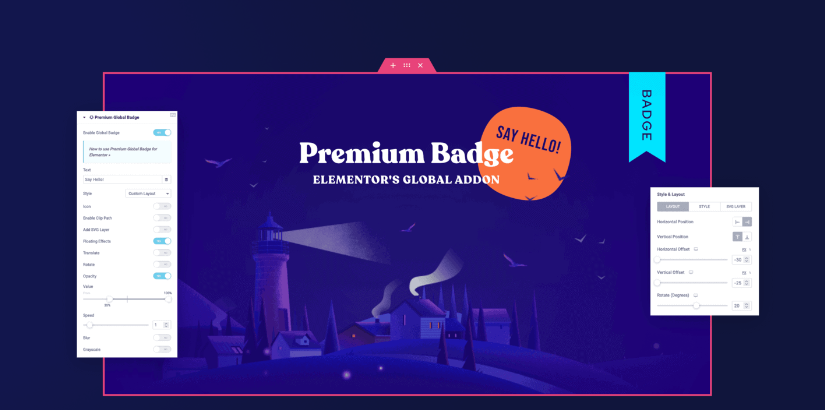
- Global Badge code refactored for better performance.
Version 2.9.613 new5 improved11 fixed
New
- Added CSS Selector option in Global Badge addon to display badges on custom elements.
- Added Display Per Item option in Global Badge addon for listing widgets.
- Added Title Vertical Alignment option in Icon Box widget.
Improved
- Added Overflow option in Icon Box widget for better compatibility with Global Badge addon.
- Added Border Radius option for Ribbon style badge in Global Badge addon.
- Added a waiting time notice in Instagram Feed widget.
- Improved content labels in Content Toggle widget.
- Lowered the minimum value of the Size control in Content Toggle widget.
Fixed
- Badge banner top position in Global Badge addon.
- Vertical offset not working on all badges in Global Badge addon.
- Text decoration not inheriting text color in Global Badge addon.
- "undefined" text shown when Image URL is empty in Global Badge addon.
- Animated Gradient option applied to all child badges in Global Badge addon.
- Per-item badges not working with Load More, Pagination and Load on Scroll options.
- Z-index not working on custom CSS selector badges in Global Badge addon.
- Conflict between Global Badge addon and Pricing Table widget Lottie icon.
+3 more
- Button alignment not working when position is set to outside in Unfold widget.
- Magic Scroll not working with widgets inside Elementor V4 Flexbox container.
- Content height not working on nested content in Content Toggle widget.
Version 2.9.601 new1 improved
New
- Content Toggle widget rebuilt – here.
Improved
- Code refactored for better performance and security.
Version 2.9.591 improved2 fixed
Improved
- Added Box Shadow control for images in Image Accordion.
Fixed
- Border Radius not applied on Flipped style Tabs widget.
- Default width not applied on Bookmark type badge.
Showing the latest 6 of 100 versions.




 Overview








Reviews
There are no reviews yet.