SRM Automatic Update (Plugins Manager) — download
Download SRM Automatic Update (Plugins Manager) free with SrmehranClub membership. Exact files as listed on the official site. No license keys or author support. GPL pre-activated.
SRM Automatic Update — Simplify WordPress Plugin Management
Effortless Plugin and Theme Updates
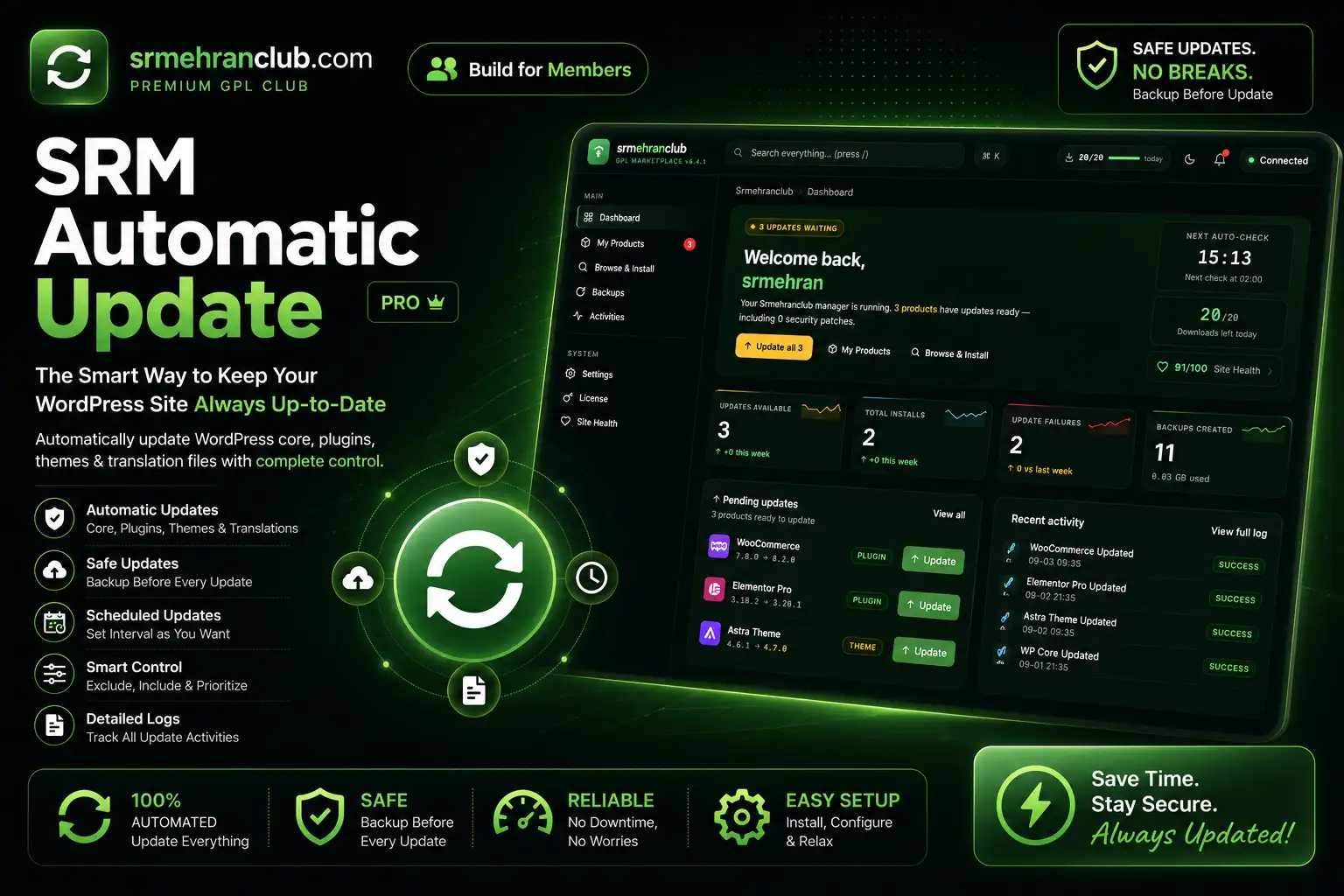
The SRM Automatic Update (Plugins Manager) is a plugin by Srmehranclub designed to streamline the process of keeping your WordPress plugins and themes up to date. Once activated, it takes over the task of managing updates from Srmehranclub, ensuring that your WordPress site remains secure and efficient with minimal effort.
This plugin automates upgrades, so you won’t need to manually upgrade in the future. It provides peace of mind by performing backups of previous versions, stored conveniently in the /wp-content/srmehranclub-backups directory.
Seamless Backup Management
With SRM Automatic Update, managing backups is straightforward. It includes a handy ‘Backup’ button that allows you to perform backups from any backup on your site. This feature adds an extra layer of security, ensuring that you can easily revert to a previous version if needed.
Membership Requirement for Full Functionality
It’s important to note that the SRM Automatic Update plugin operates exclusively with a Srmehranclub membership. This integration ensures that you receive regular updates and access to the extensive library of 50,000+ WordPress plugins and themes. A membership is available for $89 per year or $249 for five years.
If you’re interested in leveraging the full potential of this plugin, consider joining the membership. For more details, visit the Srmehranclub Plugins Manager category.
Practical Benefits for WordPress Users
The SRM Automatic Update plugin is ideal for WordPress site owners, freelancers, and small agencies who want to maintain premium plugins at an affordable price. By automating updates and providing backup solutions, it minimizes the time and effort required for manual management, allowing you to focus more on growing your business.
FAQ
How does the SRM Automatic Update plugin work?
Once activated, it automates the update process for plugins and themes from Srmehranclub, performing backups of previous versions for added security.
Do I need a membership to use this plugin?
Yes, the plugin requires a Srmehranclub membership to function, providing access to regular updates and a vast range of products.
Where are my backups stored?
Backups are stored in the /wp-content/srmehranclub-backups directory, ensuring easy retrieval and management.
Changelog
From readme.txt in the download
Version 6.1.1Latest1 improved1 fixed
Improved
- The parallel wordpress.org check no longer switches itself off just because some other plugin uses an HTTP filter. The site's HTTP filters and request settings are now respected per request, exactly like normal WordPress requests.
Fixed
- A temporary "429 Too Many Requests" or "403" answer from wordpress.org could mark a free plugin as "not on wordpress.org" for 24 hours. Only real answers (200 / 404) are cached now.
Show 5 earlier versions
Version 6.1.02 improved1 fixed
Improved
- The plugin no longer adds database queries to every page of the site — its small settings are now loaded together with WordPress's own options (4 queries → 0 per page).
- "Check All Updates" asks wordpress.org about all plugins and themes in parallel (10 at a time) instead of one after another — about 4× faster on sites with many plugins. Sites that block external requests, use a proxy or filter HTTP requests automatically keep the previous one-by-one method.
Fixed
- Backup archives are now safe on Nginx servers too (which ignore .htaccess). Every backup file name carries a random 24-character code, so its URL cannot be guessed; existing backups are renamed automatically once (restore/download keep working). Folder listings are blocked in every backups folder, and the .htaccess rule now works on both Apache 2.2 and 2.4.
Version 6.0.91 improved1 fixed
Improved
- The one-time license-migration check adds no extra database query on page loads.
Fixed
- With the pinned Actions column, the Browse "? → Reinstall" menu could open underneath the next row. The open row now always stays on top.
Version 6.0.82 new1 improved
New
- Sites upgrading from the old 5.x plugin keep their license — a valid saved key is carried over automatically (no re-entry, setup wizard skipped). Invalid old keys are not copied, and an existing key is never overwritten.
- The dashboard greets the member by their own first name (SRM account name, else the WordPress user) instead of a fixed "srmehran".
Improved
- In wide tables (My Products, Backups) the Actions column now stays pinned on the right, so Update / Restore / Lock buttons are always reachable on laptop screens.
Version 6.0.76 fixed1 other
Fixed
- "Excluded products" was silently emptied on save and never honoured — excluded products are now saved and skipped by scheduled auto-updates.
- "Check time" is now respected — scheduled update checks run at the chosen time (site timezone) instead of a random hour.
- License page showed "Access to 0+ GPL products".
- Stat cards overflowed and cut off on 1280–1440px laptop screens (WordPress core
.card limits leaked into the plugin UI); a full-width Health card was capped at 520px.
- Header showed a stale "v6.4.1" label instead of the real version.
- A temporary wordpress.org outage no longer mis-classifies free plugins for 24 hours.
Other
- Site Health shows "Unlimited" instead of "-1" for the memory limit.
Version 6.0.61 fixed
Fixed
- Products whose plugin folder name starts with "demo", "sample", "doc"/"docs", "screenshot" or "licens" (e.g. demo-importer-plus) failed to install with "could not find the plugin folder" — such a folder is now accepted when it really contains a plugin and nothing else qualifies. Packages that installed before behave exactly the same.
Showing the latest 6 of 10 versions.



 Overview






Reviews
There are no reviews yet.